Buy roadstoculture.eu ?
We are moving the project
roadstoculture.eu .
Are you interested in purchasing the domain
roadstoculture.eu ?
domain@kv-gmbh.de · 0541-91531010
Buy roadstoculture.eu ?
What is the VBA code for applying an AutoFilter in Excel?
The VBA code for applying an AutoFilter in Excel is: ```vba ActiveSheet.Range("A1").AutoFilter ``` This code will apply an AutoFilter to the range starting from cell A1 on the active sheet. You can replace "A1" with the specific range you want to apply the AutoFilter to. **
How can I properly set up the AutoFilter function in Excel VBA?
To properly set up the AutoFilter function in Excel VBA, you can use the Range.AutoFilter method. First, select the range of cells that you want to apply the AutoFilter to. Then, use the AutoFilter method on that range. You can specify the criteria for filtering by setting the criteria in the AutoFilter method. Finally, you can use the AutoFilterMode property to turn on or off the AutoFilter feature. **
Similar search terms for Autofilter
Top-Angebote
Products related to Autofilter:
-
William Morris Arts & Crafts Marigold Set of 3 Square CaddiesIntroducing the Arts & Crafts William Morris Marigold Set of 3 Square Caddies, ideal for adding a touch of charm to your home while keeping your space organised. This delightful set features a beautiful marigold design, making them not only functional but also a stylish addition to your decor. Perfect for storing a variety of items, these caddies help you declutter and maintain a tidy environment. Dimensions: 10.5(H) x 10.5(W) x 10.5(L)cm.22,50 £*Shipping: 3,50 £Secure redirect to the provider
-
William Morris Arts & Crafts Marigold Set of 3 Round Cake TinsDiscover the Arts & Crafts William Morris Marigold Set of 3 Round Cake Tins, perfect for your baking adventures and stylish storage solutions. These tins not only keep your cakes fresh but also add a touch of elegance to your kitchen. With a beautiful marigold design, these cake tins are ideal for both baking and showcasing your creations. Their sturdy construction ensures they can be used time and again, making them a practical choice for any baking enthusiast. Care instructions: Hand wash only.Dimensions: Small - 10.5(H) x 19.2(dia) cm, Medium - 12(H) x 22.3(dia) cm, Large - 15(H) x 25(dia) cm.40,50 £*Shipping: 3,50 £Secure redirect to the provider
-
William Morris Arts & Crafts Strawberry Thief Set of 3 Square CaddiesIntroducing the Arts & Crafts William Morris Strawberry Thief Set of 3 Square Caddies, a charming addition to your home that effortlessly combines style and functionality. These delightful caddies are perfect for storing your favourite treats or crafting supplies, helping you keep your space organised and beautiful. The stunning strawberry thief design adds a touch of elegance to any room, making these caddies not just practical but also a lovely decorative piece. Ideal for those who appreciate both art and utility, they are perfect for anyone looking to enhance their storage solutions with a stylish flair. Dimensions: 10.5(H) x 10.5(W) x 10.5(L)cm.22,50 £*Shipping: 3,50 £Secure redirect to the provider


-
How can I use a macro to apply the autofilter across multiple columns?
You can use a macro to apply the autofilter across multiple columns by recording a macro while applying the autofilter to one column, and then modifying the recorded macro to include the additional columns. You can do this by adding lines of code to the macro that specify the additional columns to be filtered. For example, you can use the Range.AutoFilter method to apply the autofilter to multiple columns by specifying the criteria for each column. This will allow you to filter the data based on multiple criteria across different columns using a single macro. **
-
What is the formula reference in Excel for the AutoFilter that always refers to the same row?
In Excel, the formula reference for the AutoFilter that always refers to the same row is typically written using the dollar sign ($) to fix the row reference. For example, if you want to always refer to row 1, you would use the formula reference $1:$1. This ensures that the AutoFilter always applies to the same row, even if you copy the formula to other cells. **
-
Can the arts and crafts course still be completed?
Yes, the arts and crafts course can still be completed as long as the necessary materials and instructions are provided. Participants can follow along with video tutorials, written instructions, or attend virtual classes to learn and create art projects. Online platforms and resources make it possible for individuals to continue their artistic pursuits from the comfort of their own homes. With dedication and practice, participants can successfully complete the arts and crafts course and develop their skills. **
-
How can I create a VBA macro that filters rows with a specific criteria using autofilter and then copies them to another worksheet tab?
To create a VBA macro that filters rows with a specific criteria using autofilter and then copies them to another worksheet tab, you can start by defining the criteria you want to filter by. Then, you can apply the autofilter to the range of data on the original worksheet using the criteria. Next, you can copy the visible cells (filtered rows) to another worksheet tab by specifying the destination range. Finally, you can turn off the autofilter to show all rows again. This process can be automated by recording a macro while manually filtering and copying the data, and then adjusting the recorded code to make it dynamic and reusable. **


How can I create a VBA macro that filters rows with a specific criterion using autofilter and then copies them to another worksheet tab?
To create a VBA macro that filters rows with a specific criterion using autofilter and then copies them to another worksheet tab, you can start by defining the criterion you want to filter by. Then, you can apply the autofilter to the range of data on the original worksheet based on this criterion. Next, you can copy the visible rows to another range or worksheet using the SpecialCells(xlCellTypeVisible) method. Finally, paste the copied rows to the desired location on the other worksheet tab. This process can be automated by recording a macro while manually performing these steps and then modifying the recorded code as needed. **
How can I create a VBA macro that filters rows with a specific criteria using an autofilter and then copies them to another worksheet tab?
To create a VBA macro that filters rows with a specific criteria using an autofilter and then copies them to another worksheet tab, you can follow these steps: 1. Define the specific criteria that you want to filter by. 2. Use the Autofilter method to filter the rows based on the criteria. 3. Copy the visible cells (filtered rows) to another worksheet tab using the Copy method. 4. Paste the copied cells to the desired location on the other worksheet tab using the Paste method. You can record a macro while manually filtering and copying the rows to get a starting point for your VBA code, and then modify the recorded code to include the specific criteria and worksheet tabs you want to work with. **
Top-Angebote
Products related to Autofilter:
-
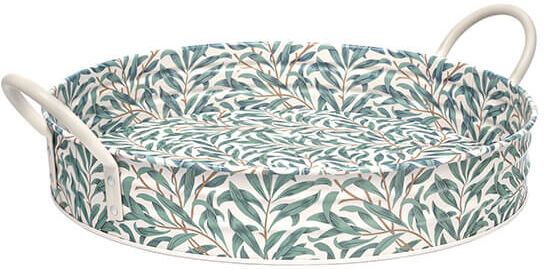
William Morris Arts & Crafts Willow Large Handle TrayThe Arts & Crafts William Morris Willow Large Handle Tray is a stylish addition to any home, designed to elevate your serving experience with its practical features. This large handle tray not only looks great but also makes serving drinks and snacks a breeze. Its sturdy design ensures it can handle your needs, while the easy-to-clean surface means less time tidying up and more time enjoying your gatherings. Care instructions: Wipe clean with a damp cloth. Dimensions: 6(H) x 39(dia) cm.40,50 £*Shipping: 3,50 £Secure redirect to the provider
-
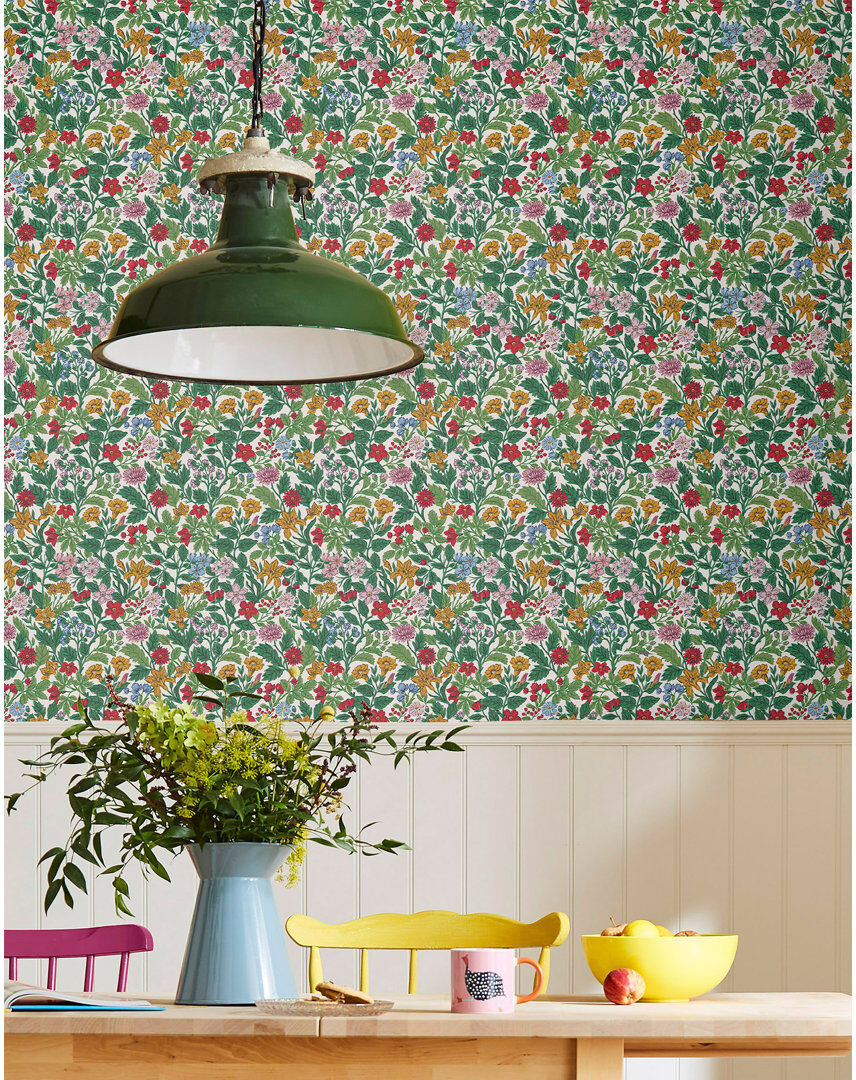
Joules Arts and Crafts Floral Rainbow Wallpaper Green 10cm LA timeless yet contemporary wallpaper, this classic, wide stripe is an iconic print pattern. Harborough stripe is brought to life in a coastal, classic blue tone which brings a fresh feel when contrasted against the off-white tone. Printed on a matt substrate for a contemporary look and feel. This wallpaper is also paste-the-wall, making it easy to hang. Design Match: Straight. Application Method: Paste the Wall. Care Instruction - Clean with a dry soft cloth. Please note the colours on screen may vary from the actual product. This product is not available for British Forces Post Office Deliveries.. Brand Name: JOULES.41,60 £*Shipping: 4,99 £Secure redirect to the provider
-
William Morris Arts & Crafts Marigold Set of 3 Square CaddiesIntroducing the Arts & Crafts William Morris Marigold Set of 3 Square Caddies, ideal for adding a touch of charm to your home while keeping your space organised. This delightful set features a beautiful marigold design, making them not only functional but also a stylish addition to your decor. Perfect for storing a variety of items, these caddies help you declutter and maintain a tidy environment. Dimensions: 10.5(H) x 10.5(W) x 10.5(L)cm.22,50 £*Shipping: 3,50 £Secure redirect to the provider
-
What is the VBA code for applying an AutoFilter in Excel?
The VBA code for applying an AutoFilter in Excel is: ```vba ActiveSheet.Range("A1").AutoFilter ``` This code will apply an AutoFilter to the range starting from cell A1 on the active sheet. You can replace "A1" with the specific range you want to apply the AutoFilter to. **
-
How can I properly set up the AutoFilter function in Excel VBA?
To properly set up the AutoFilter function in Excel VBA, you can use the Range.AutoFilter method. First, select the range of cells that you want to apply the AutoFilter to. Then, use the AutoFilter method on that range. You can specify the criteria for filtering by setting the criteria in the AutoFilter method. Finally, you can use the AutoFilterMode property to turn on or off the AutoFilter feature. **
-
How can I use a macro to apply the autofilter across multiple columns?
You can use a macro to apply the autofilter across multiple columns by recording a macro while applying the autofilter to one column, and then modifying the recorded macro to include the additional columns. You can do this by adding lines of code to the macro that specify the additional columns to be filtered. For example, you can use the Range.AutoFilter method to apply the autofilter to multiple columns by specifying the criteria for each column. This will allow you to filter the data based on multiple criteria across different columns using a single macro. **
-
What is the formula reference in Excel for the AutoFilter that always refers to the same row?
In Excel, the formula reference for the AutoFilter that always refers to the same row is typically written using the dollar sign ($) to fix the row reference. For example, if you want to always refer to row 1, you would use the formula reference $1:$1. This ensures that the AutoFilter always applies to the same row, even if you copy the formula to other cells. **
Similar search terms for Autofilter
-
William Morris Arts & Crafts Marigold Set of 3 Round Cake TinsDiscover the Arts & Crafts William Morris Marigold Set of 3 Round Cake Tins, perfect for your baking adventures and stylish storage solutions. These tins not only keep your cakes fresh but also add a touch of elegance to your kitchen. With a beautiful marigold design, these cake tins are ideal for both baking and showcasing your creations. Their sturdy construction ensures they can be used time and again, making them a practical choice for any baking enthusiast. Care instructions: Hand wash only.Dimensions: Small - 10.5(H) x 19.2(dia) cm, Medium - 12(H) x 22.3(dia) cm, Large - 15(H) x 25(dia) cm.40,50 £*Shipping: 3,50 £Secure redirect to the provider
-
William Morris Arts & Crafts Strawberry Thief Set of 3 Square CaddiesIntroducing the Arts & Crafts William Morris Strawberry Thief Set of 3 Square Caddies, a charming addition to your home that effortlessly combines style and functionality. These delightful caddies are perfect for storing your favourite treats or crafting supplies, helping you keep your space organised and beautiful. The stunning strawberry thief design adds a touch of elegance to any room, making these caddies not just practical but also a lovely decorative piece. Ideal for those who appreciate both art and utility, they are perfect for anyone looking to enhance their storage solutions with a stylish flair. Dimensions: 10.5(H) x 10.5(W) x 10.5(L)cm.22,50 £*Shipping: 3,50 £Secure redirect to the provider
-
Blueprint Squishmallows Project Book - Arts and Crafts Guide for Fans - MultiUnleash your creativity with the Squishmallows Project Book, a guide for fans of the beloved Squishmallows franchise. This boxed edition features a variety of fun projects inspired by your favorite plush characters, perfect for collectors and crafters alike. Inside this engaging project book, you'll find step-by-step instructions for crafting adorable Squishmallows-themed items, vibrant illustrations that bring the characters to life, and tips and tricks to personalize your projects. Whether you're a seasoned fan or new to the Squishmallows world, this project book is a delightful addition to your collection.5,99 £*Shipping: 3,95 £Secure redirect to the provider
-
William Morris Arts & Crafts Strawberry Thief Set of 3 Round Cake TinsIntroducing the Arts & Crafts William Morris Strawberry Thief Set of 3 Round Cake Tins, a delightful addition to your kitchen that combines style with functionality. These charming cake tins are not just visually appealing; they are designed to keep your baked goods fresh and secure. The set is perfect for baking, storing, and presenting your delicious creations, making it ideal for both everyday use and special occasions. Crafted from durable materials, these tins offer a reliable solution for your baking needs. The beautiful strawberry thief design adds a touch of elegance to your kitchen decor. They are easy to clean and maintain, ensuring that you can enjoy your baking experience without any hassle. Care instructions: Hand wash only.Dimensions: Small - 10.5(H) x 19.2(dia) cm, Medium - 12(H) x 22.3(dia) cm, Large - 15(H) x 25(dia) cm.40,50 £*Shipping: 3,50 £Secure redirect to the provider
-
Can the arts and crafts course still be completed?
Yes, the arts and crafts course can still be completed as long as the necessary materials and instructions are provided. Participants can follow along with video tutorials, written instructions, or attend virtual classes to learn and create art projects. Online platforms and resources make it possible for individuals to continue their artistic pursuits from the comfort of their own homes. With dedication and practice, participants can successfully complete the arts and crafts course and develop their skills. **
-
How can I create a VBA macro that filters rows with a specific criteria using autofilter and then copies them to another worksheet tab?
To create a VBA macro that filters rows with a specific criteria using autofilter and then copies them to another worksheet tab, you can start by defining the criteria you want to filter by. Then, you can apply the autofilter to the range of data on the original worksheet using the criteria. Next, you can copy the visible cells (filtered rows) to another worksheet tab by specifying the destination range. Finally, you can turn off the autofilter to show all rows again. This process can be automated by recording a macro while manually filtering and copying the data, and then adjusting the recorded code to make it dynamic and reusable. **
-
How can I create a VBA macro that filters rows with a specific criterion using autofilter and then copies them to another worksheet tab?
To create a VBA macro that filters rows with a specific criterion using autofilter and then copies them to another worksheet tab, you can start by defining the criterion you want to filter by. Then, you can apply the autofilter to the range of data on the original worksheet based on this criterion. Next, you can copy the visible rows to another range or worksheet using the SpecialCells(xlCellTypeVisible) method. Finally, paste the copied rows to the desired location on the other worksheet tab. This process can be automated by recording a macro while manually performing these steps and then modifying the recorded code as needed. **
-
How can I create a VBA macro that filters rows with a specific criteria using an autofilter and then copies them to another worksheet tab?
To create a VBA macro that filters rows with a specific criteria using an autofilter and then copies them to another worksheet tab, you can follow these steps: 1. Define the specific criteria that you want to filter by. 2. Use the Autofilter method to filter the rows based on the criteria. 3. Copy the visible cells (filtered rows) to another worksheet tab using the Copy method. 4. Paste the copied cells to the desired location on the other worksheet tab using the Paste method. You can record a macro while manually filtering and copying the rows to get a starting point for your VBA code, and then modify the recorded code to include the specific criteria and worksheet tabs you want to work with. **
* All prices are inclusive of VAT and, if applicable, plus shipping costs. The offer information is based on the details provided by the respective shop and is updated through automated processes. Real-time updates do not occur, so deviations can occur in individual cases. ** Note: Parts of this content were created by AI.